


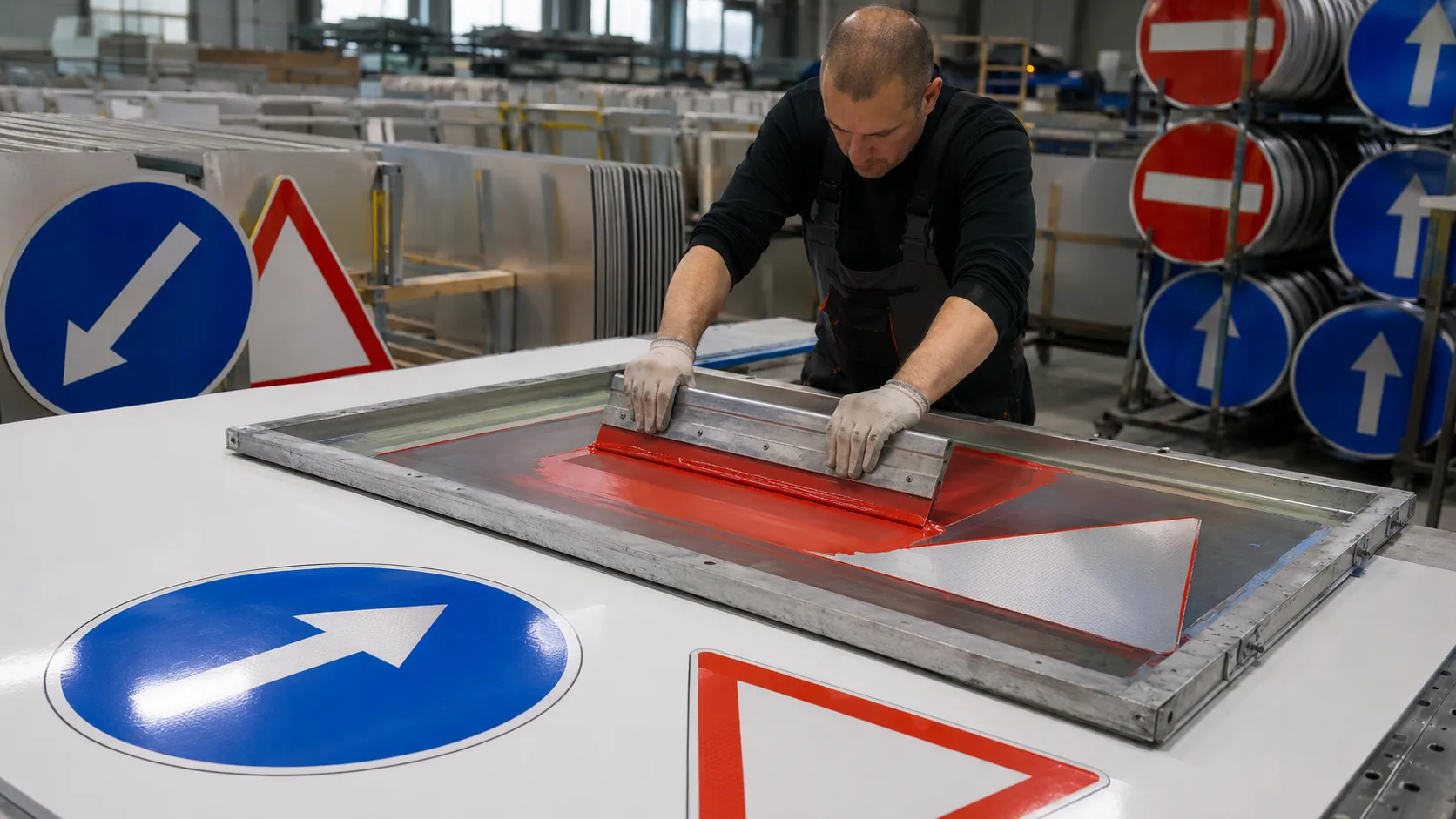
Screen printing remains an important production method for traffic signs, warning signs and other reflective graphics that use repeated colors, symbols or legends.
Compared with digital printing, screen printing can be efficient for larger batches of the same design. However, reflective sheeting should not be treated like ordinary plastic film.
The ink, reflective surface, print density, drying or curing process and final sign specification all need to work together.
For regulated traffic signs, the most important question is not simply whether the ink sticks to the film. The finished printed sign must also provide the required color, visibility and retroreflective performance.
Can Reflective Sheeting Be Screen Printed?
Yes, many reflective sheeting products are designed to accept screen printing.
Typical applications include:
Traffic signs
Warning signs
Directional signs
Construction signs
Safety signs
Reflective numbers
Reflective symbols
Industrial identification signs
However, not every reflective sheeting product accepts every screen ink.
The safest approach is to treat the sheeting and ink as a complete printing system.
Before mass production, confirm:
Reflective sheeting type
Surface treatment
Ink system
Required printed color
Drying or curing method
Outdoor durability requirement
Applicable traffic-sign specification
A successful print should not only look good immediately after printing. It should remain stable during fabrication, installation and outdoor exposure.
Start With the Correct Reflective Sheeting
The first step is confirming that the reflective sheeting is actually designed for the intended printing method.
Two white reflective films may look similar, but their surface chemistry can be different.
One product may be designed for:
Screen printing
while another may be optimized for:
UV inkjet
Eco-solvent printing
Thermal transfer
Plotter cutting only
This is why buyers should check the technical data for the exact product rather than assuming that every reflective film is printable.
For traffic-sign production, the reflective grade is equally important.
Engineering Grade, High Intensity Prismatic and other traffic-sign materials serve different visibility and project requirements.
The printing process cannot upgrade a low-grade reflective material into a higher reflective grade.
Start with the correct base sheeting first, then choose the compatible printing system.
Why Traffic-Sign Ink Is Different From Ordinary Sign Ink
This is where reflective sign production becomes more technical.
A normal advertising sign mainly needs the printed image to look correct.
A traffic sign may also need light to pass through the printed color, reach the reflective structure and return toward the driver.
If too much light is blocked by the ink, the printed area may appear bright during the day but perform poorly at night.
This is why qualified traffic-sign systems often use inks or process colors specifically designed for reflective sheeting.
For example, transparent or translucent traffic colors may be used where the reflective background needs to remain visible through the printed color.
Black legends and some other graphic elements may use a different ink behavior because their function is to create contrast rather than transmit reflected light.
The exact ink system depends on the reflective sheeting manufacturer and sign specification.
For regulated signs, avoid choosing ink only because:
“It sticks well.”
Adhesion is only one part of the requirement.
Transparent Ink vs Opaque Ink
The difference between transparent and opaque printing is important when working with reflective material.
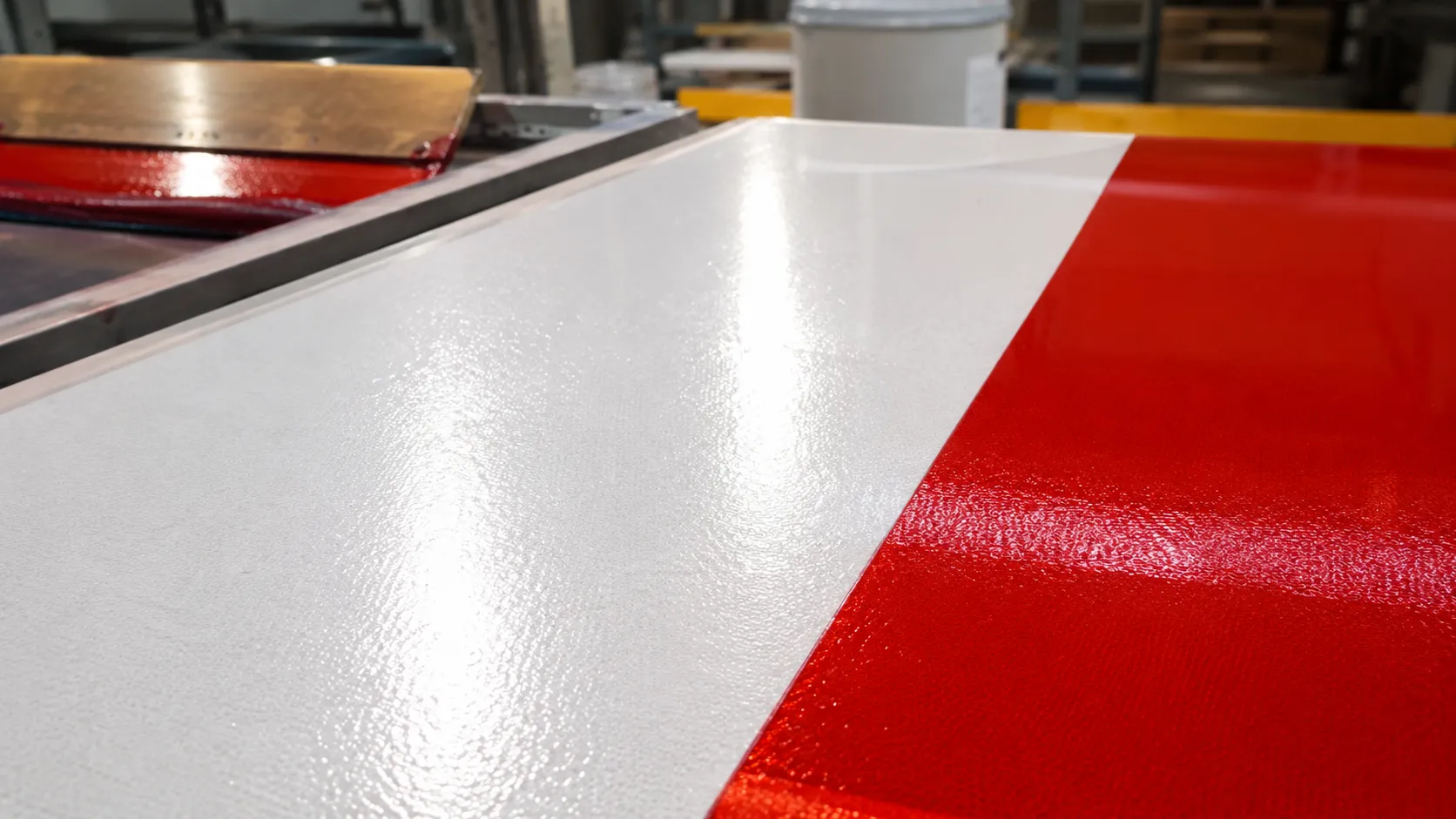
Transparent or Translucent Traffic Colors
These allow part of the incoming light to pass through the printed layer.
Light can then reach the reflective sheeting and return through the color.
This type of system is commonly used when a colored area must remain retroreflective.
Examples may include:
Red
Blue
Green
Yellow
Brown
depending on the qualified sign system.
Opaque Ink
Opaque ink blocks much more light.
It is useful when the design requires a non-reflective or strongly contrasting graphic.
Black legends are a common example.
However, an opaque ink should not automatically be used where the printed area is expected to remain retroreflective.
The correct choice depends on the sign design and local specification.
Clean the Printing Environment First
Screen printing quality can be affected by very small particles.
Dust is especially easy to see on smooth reflective surfaces.
Before printing:
Keep the worktable clean
Keep the reflective surface covered until needed
Remove loose dust
Keep screens clean
Avoid touching the printable surface unnecessarily
Keep oil and silicone contamination away from the material
Do not aggressively clean reflective sheeting with random solvents unless the product manufacturer approves the method.
Some chemicals may affect the surface treatment.
If a roll has recently been moved from a very cold or hot warehouse, allow the material to stabilize in the production environment before printing.
This helps reduce condensation and dimensional changes.
Test Ink Adhesion Before Full Production
A print can look perfect and still have poor adhesion.
This problem often appears later during:
Cutting
Laminating
Stacking
Packaging
Installation
Outdoor use
For this reason, always test the actual production combination.
Use the same:
Reflective sheeting
Ink
Screen
Drying or curing system
Production environment
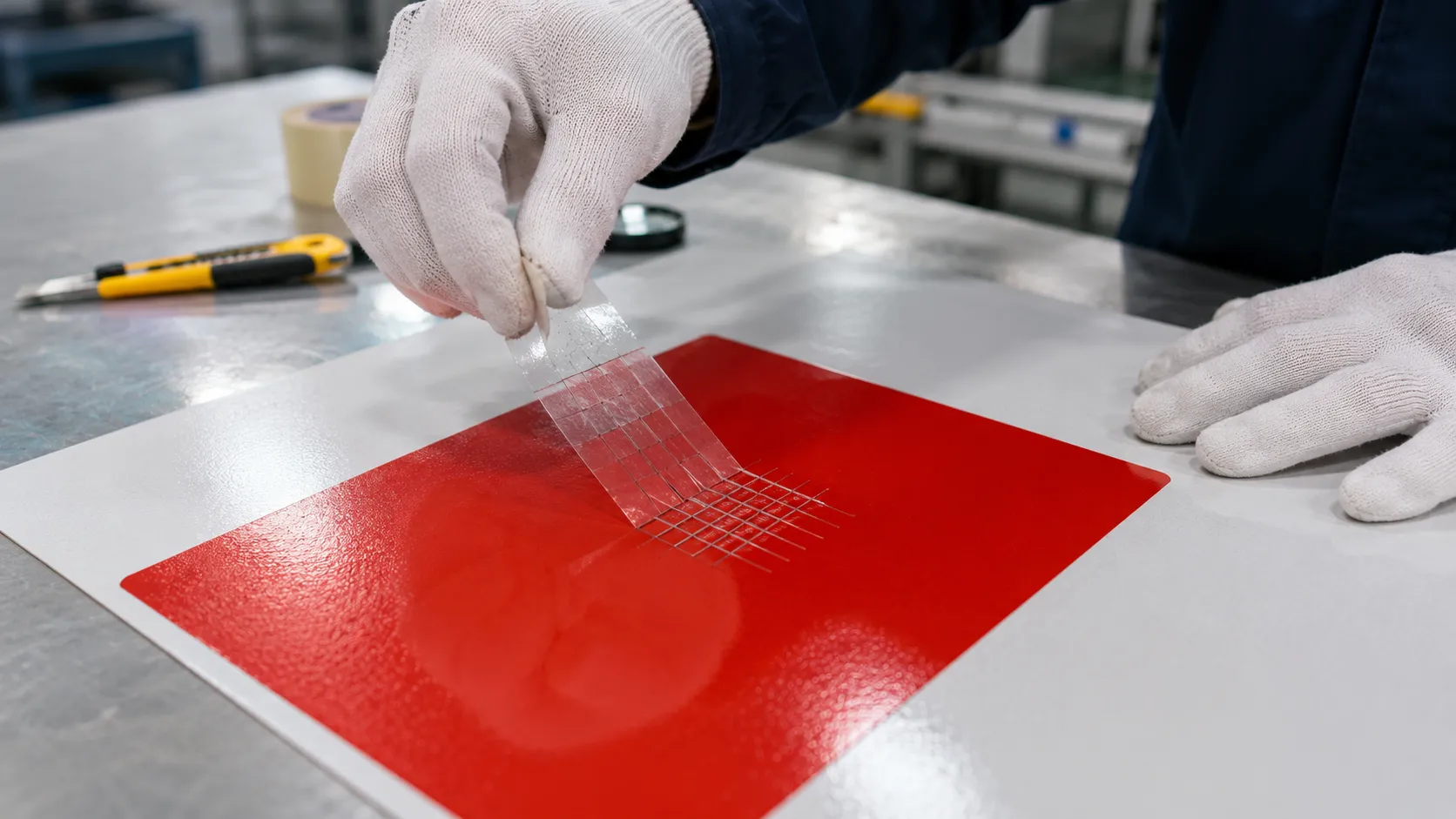
that will be used for the full job.
After the ink has fully dried or cured according to the ink supplier's instructions, evaluate adhesion.
For production approval, the exact test method should match your internal QC system, customer specification or material supplier recommendation.
Do not perform an adhesion test immediately after printing if the ink system requires additional curing time.
Do Not Judge Printing Only by Daytime Appearance
This is one of the most important points in reflective sign production.
A printed traffic sign should be evaluated both:
in normal light
and
under retroreflective viewing conditions.
During daytime inspection, check:
Color
Ink coverage
Edge definition
Pinholes
Dust
Registration
Surface defects
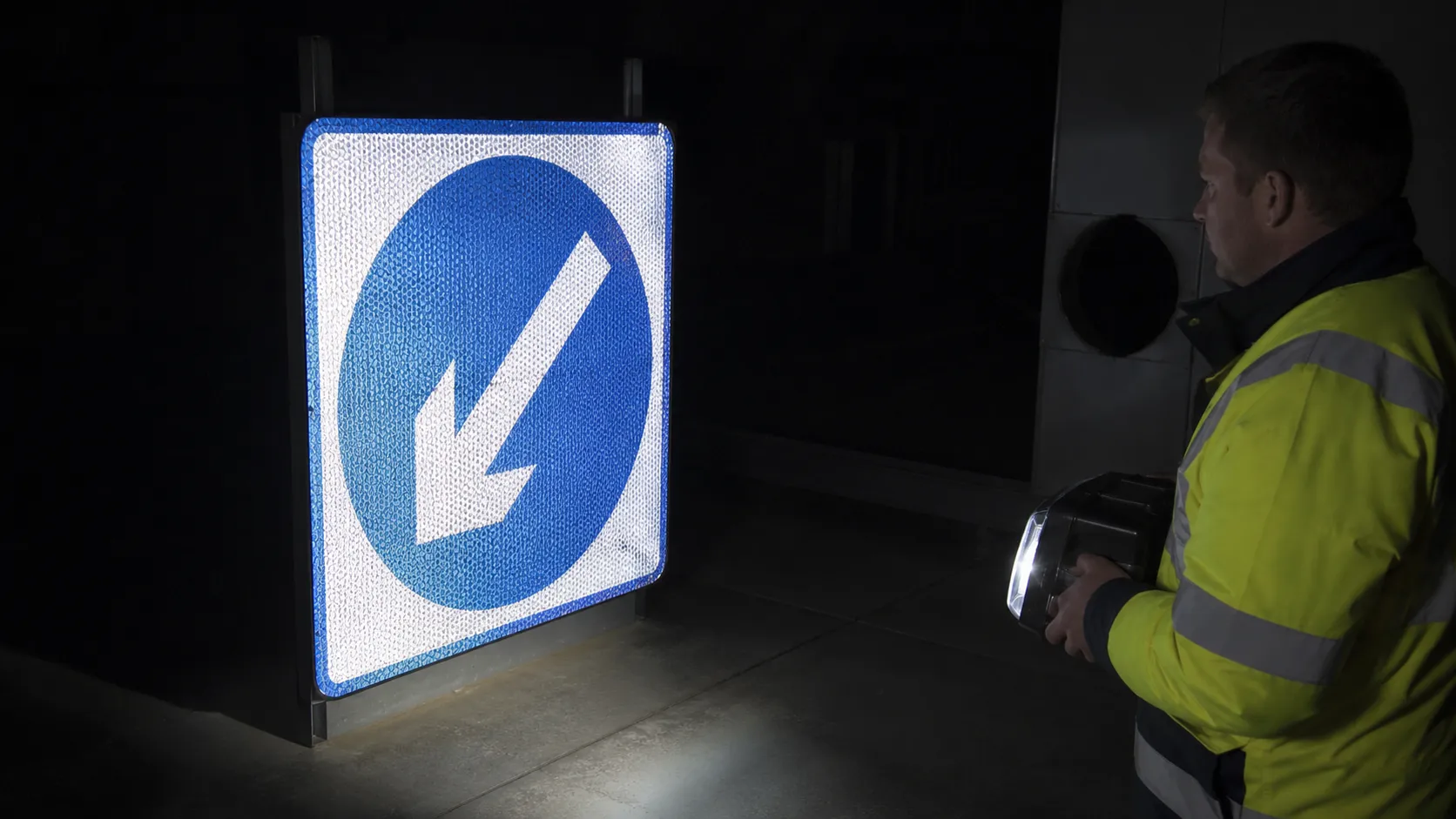
At night or with appropriate test equipment, check whether the printed areas behave as expected when illuminated.
A color that looks visually correct during the day may still reduce retroreflectivity too much.
This is particularly important when:
Ink is too dense
Several ink layers are printed
An incorrect opaque ink is used
White ink is added
A clear coat changes the optical path
For traffic-sign projects with specified retroreflective values, measure the finished sign according to the required test method rather than relying only on visual inspection.
Control Ink Deposit
More ink is not always better.
An excessively heavy ink layer can create:
Slow drying
Poor curing
Blocking during stacking
Uneven color
Reduced retroreflection
Cracking
Poor adhesion
An ink layer that is too light can also create problems:
Weak color
Poor consistency
Uneven appearance
Pinholes
Visible screen variation
The correct deposit depends on the complete printing system.
Important variables include:
Ink viscosity
Screen mesh
Emulsion
Squeegee
Squeegee pressure
Printing speed
Number of passes
Ambient conditions
Instead of copying settings from ordinary PVC graphics, establish a stable process for each reflective sheeting and ink combination.
Registration Matters on Multi-Color Signs
Traffic signs often use more than one printed color.
Examples include:
Direction signs
Warning signs
Information signs
Custom traffic-control graphics
If several screens are used, registration must remain stable throughout the job.
Poor registration can create:
Colored outlines
Misaligned borders
Uneven symbols
Incorrect letter shapes
Visible gaps between colors
Reflective materials can also react to temperature and handling during processing.
For multi-color production, keep the material flat and avoid unnecessary stretching between print stages.
Allow each color to reach the required drying or curing condition before the next production step.
Drying and Curing Need to Match the Ink System
Do not use one curing rule for every screen-printing ink.
Some systems are air-dried.
Others use heat.
UV-curing screen inks require controlled UV energy.
Follow the ink supplier's recommended process for:
Temperature
Time
Airflow
UV energy
Ink thickness
Poor curing can lead to:
Soft ink
Ink transfer
Sticking between sheets
Weak adhesion
Surface marks
Premature outdoor failure
Over-processing can also damage the film or change the printed appearance.
For air-drying systems, airflow, humidity, temperature and ink-film thickness can affect drying time.
Do not stack printed sheets simply because the surface feels dry to the touch.
The ink must reach the required condition before further processing.
Be Careful When Stacking Printed Sign Faces
Freshly printed reflective sheeting can be damaged during handling even when the printing itself is correct.
Possible problems include:
Ink transfer
Surface scratches
Blocking
Pressure marks
Scuffing
When required by the printing system, use suitable slip sheets between finished sign faces.
Keep printed surfaces protected during:
Drying
Storage
Transportation
Final sign assembly
The protective material itself should also be clean.
Do not place dirty cardboard directly against a finished sign face.
Printing Before or After Applying Sheeting to Aluminum?
Both production workflows may exist, depending on the material and equipment.
One common workflow is:
Reflective sheeting
→ Printing
→ Cutting or trimming
→ Application to aluminum panel
→ Final inspection
Another production system may first apply the sheeting to a rigid sign blank and then perform printing.
The correct sequence depends on:
Printing equipment
Sign size
Material handling
Ink system
Production volume
Sign specification
The important point is to validate the complete production process.
A print that works well on a small loose sample may behave differently after lamination, trimming or mounting.
Run a representative production sample before approving a large order.
Common Screen-Printing Problems
Problem | Likely Area to Check |
|---|---|
Ink peels from the film | Ink compatibility, surface contamination or curing |
Printed color is too weak | Ink deposit, mesh, ink condition or print passes |
Printed color looks too dark at night | Ink density or unsuitable ink system |
Pinholes appear | Screen condition, contamination or ink deposit |
Ink transfers during stacking | Incomplete drying or curing |
Registration changes | Material movement or screen alignment |
Small details lose definition | Excessive ink deposit or screen setup |
Finished sign has lower reflection | Printed color, ink opacity or total ink coverage |
Surface becomes scratched | Handling, stacking or packaging |
Ink cracks during later processing | Ink flexibility, curing or material compatibility |
When a printing problem appears, avoid changing several variables at once.
Change one variable, make another test print and record the result.
This makes it much easier to identify the real cause.
A Practical Approval Sample
Before running hundreds of signs, make one complete sample using the actual production process.
Do not stop at printing a small piece of film.
The approval sample should preferably represent:
Actual reflective sheeting
Actual ink
Actual printed color
Actual sign design
Actual cutting method
Actual aluminum substrate
Actual application method
Actual drying or curing
Actual finishing process
Then inspect the finished sample.
Check:
Print quality
Is the ink smooth and consistent?
Adhesion
Does the ink remain bonded after the required curing time?
Color
Does the printed color meet the project requirement?
Retroreflectivity
Does the finished sign provide the required nighttime performance?
Fabrication
Does the ink survive cutting, handling and application?
This approval step can prevent a much larger production loss later.
Screen Printing vs UV Digital Printing
Both methods can be useful, but they serve different production needs.
Factor | Screen Printing | UV Digital Printing |
|---|---|---|
Repeated large batches | Strong option | Possible |
Variable graphics | Less convenient | Strong option |
Setup time | Higher | Lower |
Color changes | Requires screen preparation | Faster digital change |
Repeated spot colors | Strong option | Depends on printer |
Small customized orders | Less efficient | Strong option |
Ink compatibility | Must be qualified | Must be qualified |
Traffic-sign system | Depends on approved materials and ink | Depends on approved materials and ink |
Screen printing is still practical when a factory repeatedly produces the same:
Symbols
Borders
Legends
Traffic colors
Digital printing becomes attractive when every sign contains different information.
The production method should follow the project, not the other way around.
What Buyers Should Tell the Reflective Sheeting Supplier
If the reflective sheeting will be screen printed, tell the supplier before ordering.
Useful information includes:
Final application
Traffic or commercial sign
Required reflective grade
Required standard
Sheeting color
Ink brand and ink type
Conventional or UV-curing screen ink
Printed colors
Aluminum or other final substrate
Outdoor durability target
Roll width
Roll length
Order quantity
If the supplier knows only:
“I need white reflective sheeting,”
they do not have enough information to evaluate printing compatibility.
For a new material, request a sample and run your own production test before placing a large order.
Questions Sign Manufacturers Often Ask
Can all reflective sheeting be screen printed?
No.
Printing compatibility depends on the surface construction and treatment of the exact reflective sheeting.
Check the technical information for the product before production.
Can normal screen-printing ink be used on reflective film?
Not automatically.
The ink must be compatible with the reflective surface and the required end use.
Traffic-sign systems may require specific inks or matched material systems.
Does screen printing reduce retroreflectivity?
It can.
Ink is placed in the optical path of the reflective material.
The effect depends on ink color, opacity, thickness and coverage.
Transparent traffic colors are often used when the colored area must remain retroreflective.
Should I clear coat a screen-printed reflective sign?
Do not assume that every printed sign needs a clear coat.
Some qualified printing systems do not require one, while other systems may specify an overlay or protective coating.
Follow the instructions for the actual reflective sheeting and ink system.
Should I test the printed film or the finished sign?
For process development, testing the printed film is useful.
For final project approval, testing the complete fabricated sign gives more meaningful information because printing, mounting and finishing can all affect performance.
Final Thoughts
Good screen printing on reflective sheeting depends on matching the complete system rather than finding one universal printing recipe.
Start with a reflective sheeting grade suitable for the application.
Confirm that the surface is screen printable.
Use a compatible ink system.
Control ink deposit and curing.
Then check the finished sign for print quality, adhesion, color and retroreflective performance.
For regulated traffic signs, always follow the project specification and approved material system.
If you are sourcing reflective sheeting for screen-printed traffic signs, send ABLAZE your required grade, color, printing ink, sign application, roll size, quantity and target market.
Samples can be evaluated using your actual screen-printing process before bulk production.
RELATED NEWS

How to Read a Reflective Sheeting TDS: RA, Adhesive & Tolerances
SEO Title: How to Read a Reflective Sheeting TDS: RA, Adhesive & TolerancesMeta Description: Learn how to read RA tables, thickness, adhesive, release liner and tolerances on a reflective sheeting technical data sheet before buying rolls.URL Slug: how-to-read-reflective-sheeting-technical-data-sheet

How To Screen Print Reflective Sheeting for Traffic Signs
Learn how to screen print reflective sheeting for traffic signs, including ink selection, surface preparation, color control, curing, retroreflectivity and common printing problems.